> ## Documentation Index
> Fetch the complete documentation index at: https://docs.ale.run/llms.txt
> Use this file to discover all available pages before exploring further.
# Google Workspace 연결
> Google을 연동하여 이메일, 일정, 문서 데이터를 AI로 조회하고 관리합니다.
Gmail, Calendar, Docs, Drive 등 구글의 핵심 업무 도구들을 Ale AI와 연결하여 활용할 수 있습니다.
[엔터프라이즈 서비스의 경우, 직접 생성한 OAuth 동의화면을 기반으로 안전하게 사용할 수 있습니다.](/ko/enterprise/google-connector)
## 커넥터로 Google 도구 연결
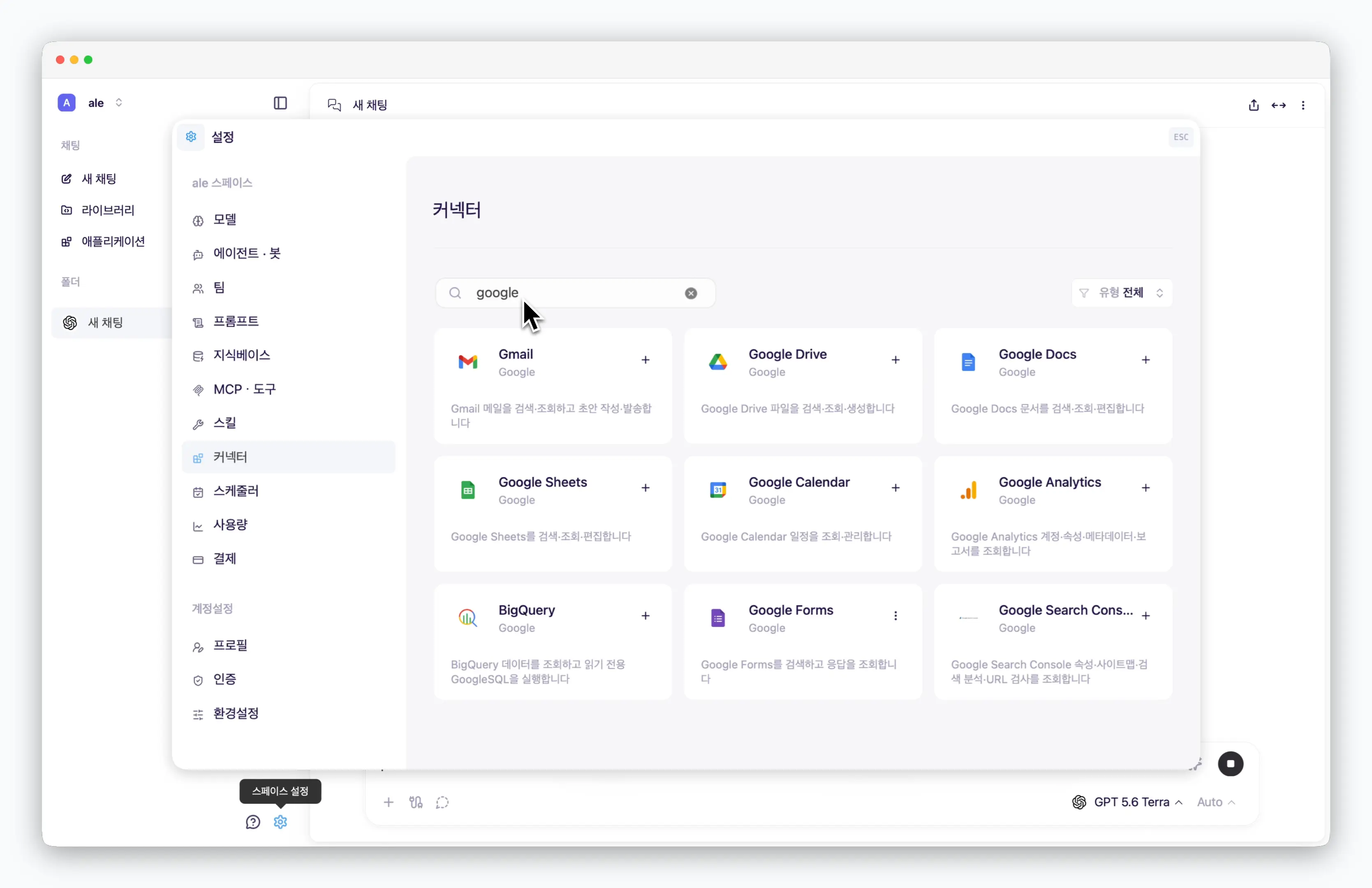 > `스페이스 설정 > 커넥터`에서 다양한 Google 도구를 OAuth 방식으로 인증하여 활용할 수 있습니다.
## Google 도구 활용
> `스페이스 설정 > 커넥터`에서 다양한 Google 도구를 OAuth 방식으로 인증하여 활용할 수 있습니다.
## Google 도구 활용
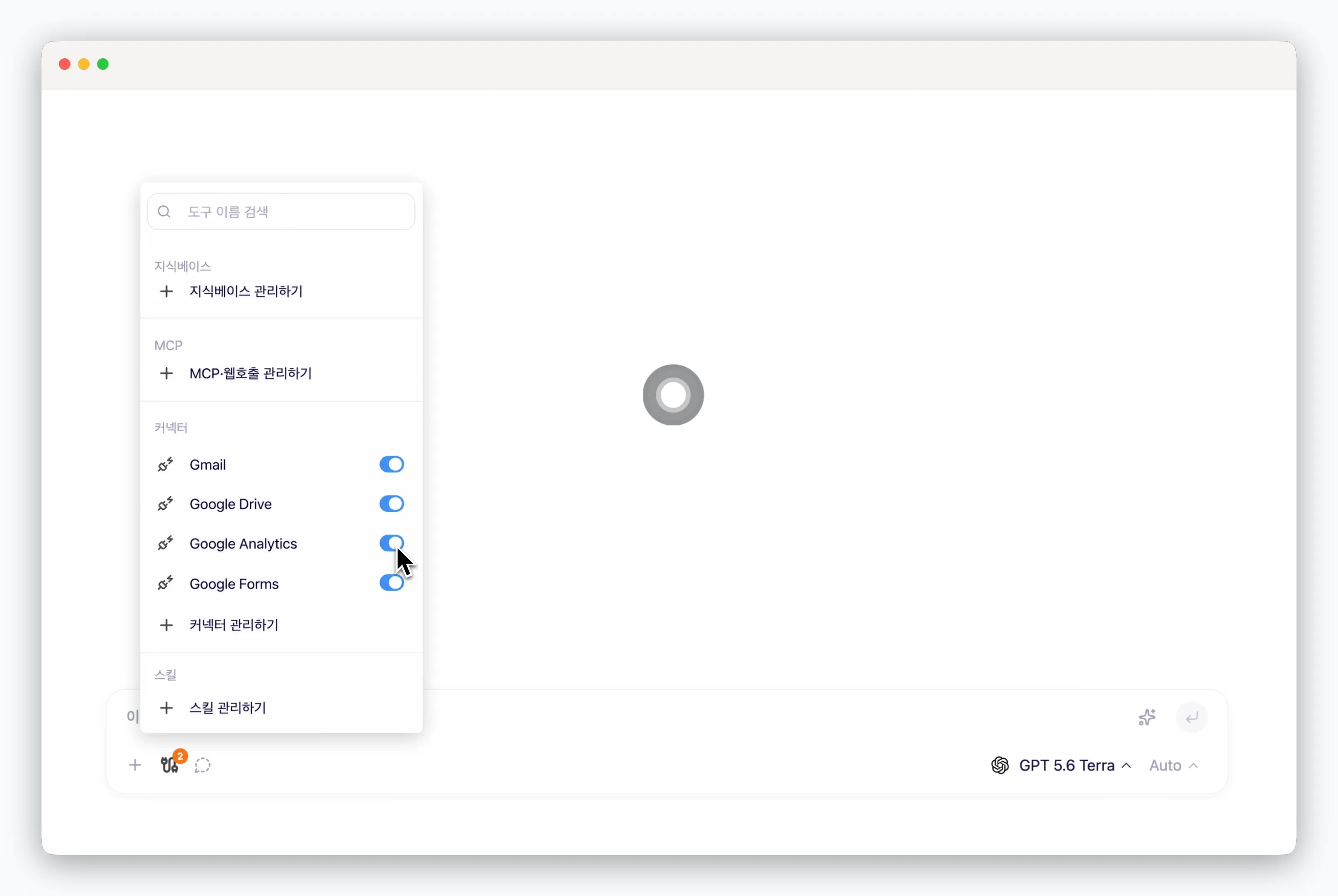 > 채팅창에서 추가한 커넥터를 활성화하여 Google 도구를 활용할 수 있습니다.
에이전트 설정 과정에서 추가한 Google 커넥터를 활성화하여 에이전트의 도구로 활용할 수 있습니다. 자세한 내용은 [커스텀 에이전트 설정](/ko/agents-and-bots#커스텀-에이전트-추가하기)을 참고하세요.
> 채팅창에서 추가한 커넥터를 활성화하여 Google 도구를 활용할 수 있습니다.
에이전트 설정 과정에서 추가한 Google 커넥터를 활성화하여 에이전트의 도구로 활용할 수 있습니다. 자세한 내용은 [커스텀 에이전트 설정](/ko/agents-and-bots#커스텀-에이전트-추가하기)을 참고하세요.